Accessing Your Raspberry Pi From Anywhere With Tailscale
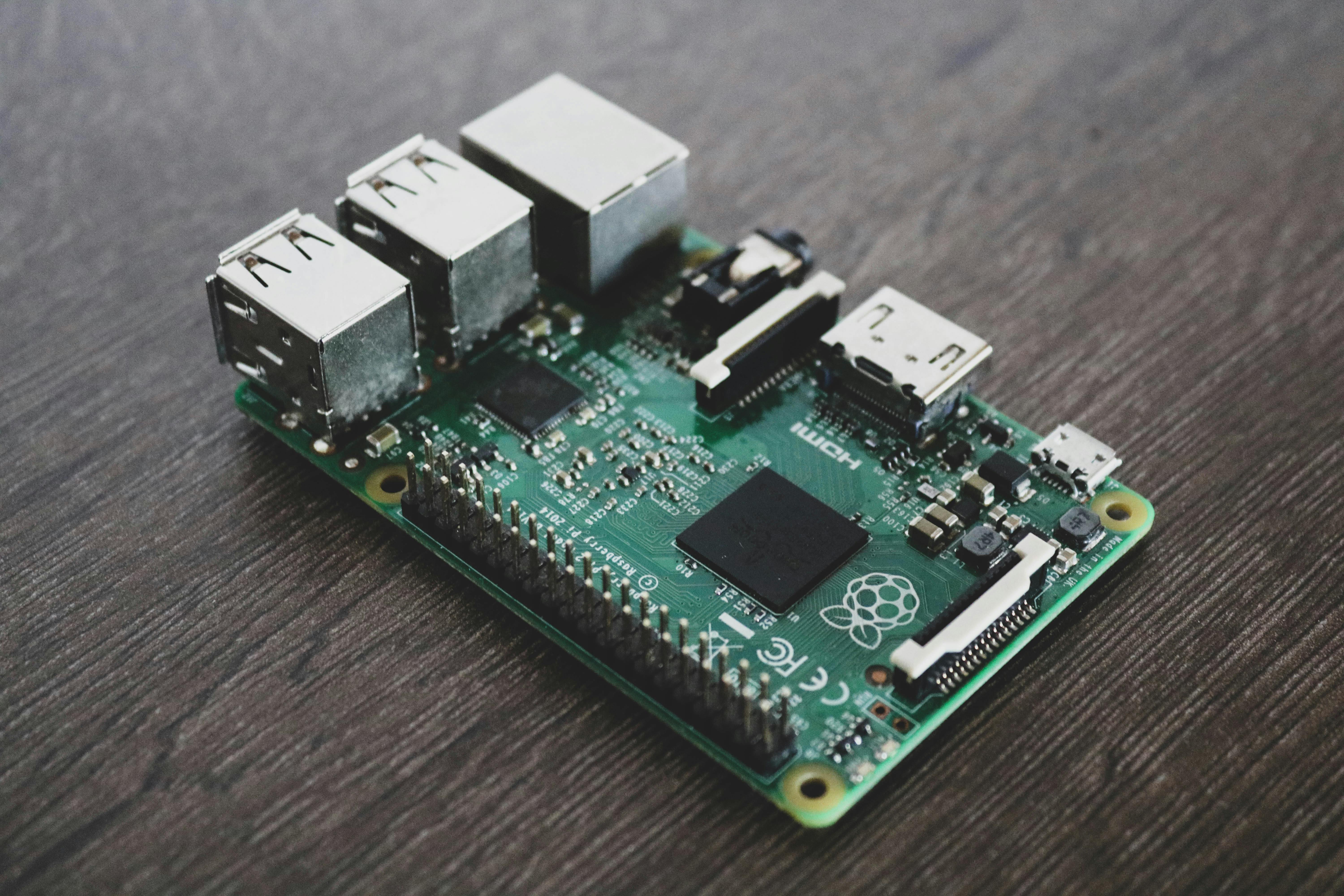
One of the less glamorous problems in running a home mesh network node is this: what happens when you leave home?
Your Raspberry Pi is sitting on your desk running Reticulum, MeshChat, and a MeshCore bridge. It's doing useful things. But you're in another city and you want to check on it, send a message, or just poke around. How do you get in?
The naive answer is port forwarding — open a port on your router, point it at your Pi, and connect to your public IP from wherever you are. This works, but it has real downsides. Your public IP might change. Your router config might fight you. And you've now exposed a port to the entire internet.
The better answer is Tailscale.
What Tailscale Actually Is
Tailscale is a VPN, but not the kind most people picture. It doesn't route all your traffic through a central server. It creates a private mesh network between your own devices — your Pi, your laptop, your phone — that works regardless of where those devices physically are.
The underlying technology is WireGuard, which is a modern, audited, open-source VPN protocol built into the Linux kernel. WireGuard is fast and cryptographically solid. Tailscale builds a user-friendly control plane on top of it that handles the hard parts: key distribution, NAT traversal, device authentication.
When you install Tailscale on two devices and sign into the same account, those devices can reach each other directly over an encrypted tunnel. No port forwarding. No public IP. No router configuration. The devices just find each other.
How It Works Under The Hood
Tailscale's architecture has two parts:
The control plane lives on Tailscale's servers. It handles authentication (who are you?), key distribution (here are the WireGuard keys for your devices), and coordination (device A wants to talk to device B, here's how to reach them). The control plane never sees your actual traffic — it just helps devices find each other.
The data plane is direct device-to-device. Once two devices know about each other through the control plane, they establish a direct WireGuard tunnel and all traffic flows through that tunnel without touching Tailscale's servers. This is why Tailscale is fast — your data takes the shortest path.
For NAT traversal (getting through home routers and firewalls), Tailscale uses a technique called DERP (Designated Encrypted Relay for Packets) as a fallback when direct connections aren't possible, plus STUN for hole-punching. In practice, direct connections work the vast majority of the time. When they don't, DERP relays traffic through the nearest Tailscale server — still encrypted end to end, Tailscale can't read it.
Each device gets a stable IP address in the 100.x.x.x range (specifically the CGNAT range, 100.64.0.0/10). This address never changes even if your home IP does, even if your Pi moves networks, even if you're tethered to your phone. The address is tied to the device in your Tailscale account, not to any physical network location.
Why This Matters For A Mesh Network Node
A Reticulum transport node like mine is meant to run 24/7. It bridges the local LoRa radio network to the global Reticulum network over TCP, runs a MeshCore bridge, and hosts MeshChat for anyone on the local network to use.
The problem is that managing it requires either being physically present or having some way to reach it remotely. SSH over a public IP is one option. Tailscale is better because:
No port forwarding means my router configuration is simpler and my Pi isn't advertising open ports to the internet
The
100.x.x.xaddress is stable — I can bookmarkhttp://100.xxxxxx:8000and it always worksWireGuard encryption means the tunnel itself is secure, not just the applications running over it
It takes about five minutes to set up
Setting It Up
On the Pi
The second command prints a URL. Open it in a browser, sign in to your Tailscale account (create one free at tailscale.com if you don't have one), and authorize the device. That's it.
Find your Pi's Tailscale IP:
You'll get something like 100.93.123.123. Write that down.
On Your Mac or Phone
Download the Tailscale app from the App Store or tailscale.com and sign in with the same account. Both devices will appear in your Tailscale dashboard under Machines.
Once both show as Connected (green dot), you can reach your Pi from anywhere at its Tailscale IP.
Accessing MeshChat Remotely
With Tailscale running on both your Pi and your Mac, open a browser anywhere in the world and go to:
Replace the IP with your own Pi's Tailscale address. MeshChat loads exactly as if you were at home.
What You're Actually Seeing In The Dashboard
When you log into the Tailscale admin console, you see all your devices listed with their Tailscale IPs, last-seen timestamps, and connection status. Two devices showing green means they can reach each other right now.
The dashboard also shows you which Tailscale account owns each device (useful if you ever add devices from different accounts using Tailscale's sharing features), the OS and Tailscale version, and whether each device is using a direct WireGuard connection or falling back to a DERP relay.
For a home Pi node, you'll almost always see a direct connection to your laptop — the two devices negotiate a hole-punch through your NAT and talk directly.
Security Considerations
The traffic between your devices is WireGuard-encrypted. Even on Tailscale's DERP relay servers, the payload is encrypted with keys that only your devices hold — Tailscale's servers can see packet metadata but not content.
Authentication is handled through your Tailscale account. Only devices authorized to your account can join your tailnet. You can also set expiry on device keys, require re-authentication, and use access controls to restrict which devices can reach which services.
For a personal node, the defaults are fine. For anything more sensitive, Tailscale's ACL system (which uses a JSON policy file) lets you get granular about what can talk to what.
The Free Tier
Tailscale's free plan supports up to 100 devices and 3 users. For personal use — a Pi, a laptop, a phone — that's more than enough with no time limit. The paid plans add things like more users, custom DERP servers, and enterprise SSO, none of which you need for a home mesh node.
Alternatives
Cloudflare Tunnel is a similar concept but works differently — you run a daemon on your Pi that establishes an outbound tunnel to Cloudflare, and your services become accessible via a Cloudflare-managed domain. No port forwarding needed, and no Tailscale client required on the other end (just a browser). Useful if you want to share a service publicly rather than just with your own devices.
WireGuard directly is what Tailscale is built on. You can configure WireGuard by hand on your Pi and manage keys yourself. This gives you complete control and no dependency on Tailscale's control plane, but it's significantly more work to set up and maintain, especially as you add devices or move between networks.
SSH tunnels work for command-line access but are clunky for accessing web UIs like MeshChat and require an open SSH port somewhere.
For a home node that you want to manage from anywhere without infrastructure headaches, Tailscale is the right tool.
Lessons From This Setup
Running a mesh network node that's meant to stay up and be useful while you're away from home requires thinking about remote access from the start, not as an afterthought. Tailscale made this a five-minute problem rather than a router-configuration afternoon.
The broader lesson is that WireGuard-based mesh VPNs are the modern answer to the "how do I reach my home network from anywhere" question. The days of wrestling with dynamic DNS, port forwarding, and exposed SSH ports are over for most use cases.
Your Pi can sit at home doing useful mesh network things while you're in another city. You can check on it, send messages through it, and manage it from anywhere. That's what infrastructure should feel like.